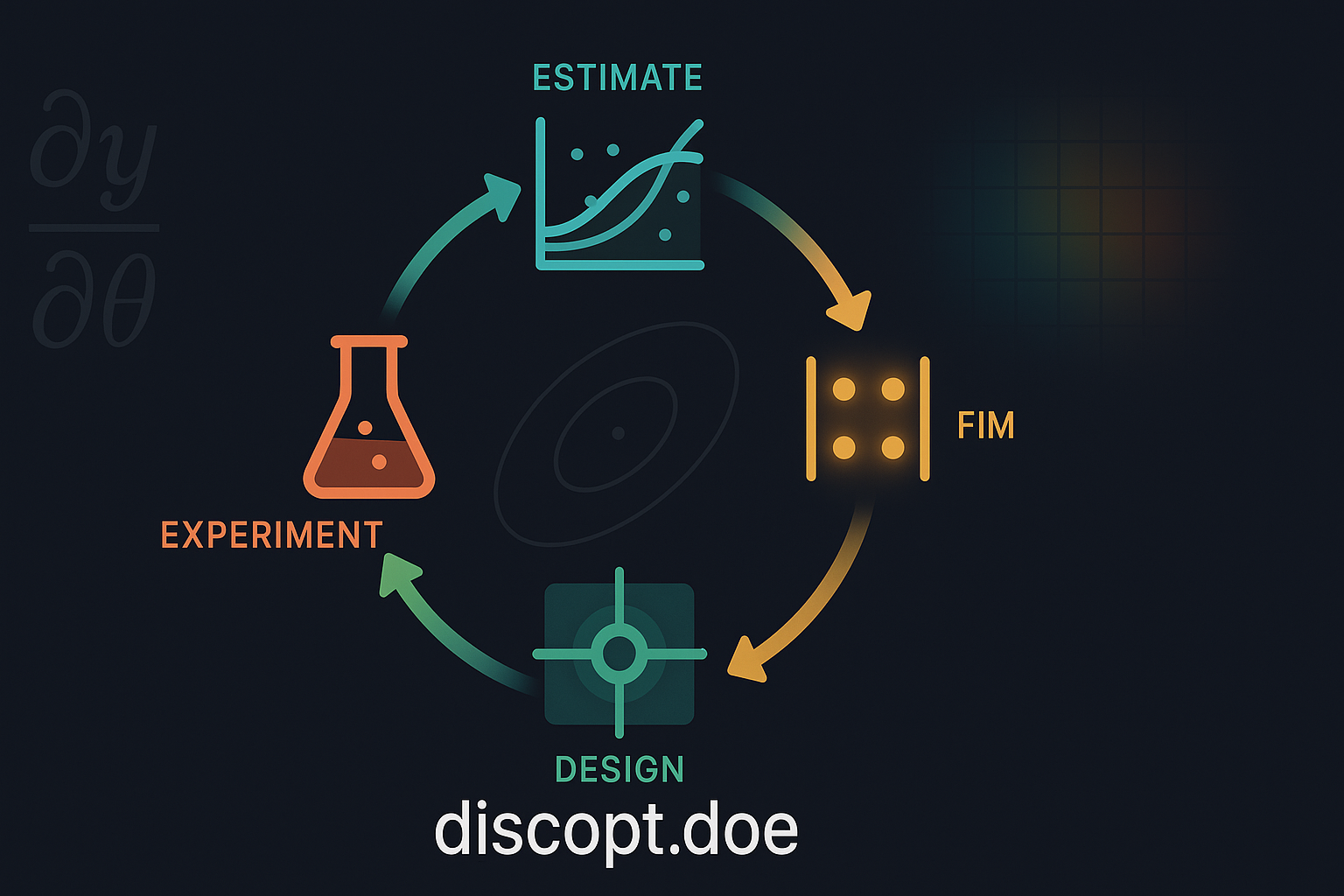
Design of Experiments from the Command Line#
discopt.doe ships a full Fisher-information-matrix-based design API,
but writing a Python Experiment subclass and stitching the
design \(\to\) measure \(\to\) fit \(\to\) extend loop together by hand
is a lot to ask of an experimentalist whose lab notebook is a
spreadsheet. The discopt doe CLI closes that gap by wrapping the
same machinery around a single .xlsx workbook that moves between
the bench and the terminal.
Classical response-surface methodology [Box et al., 2005], optimal-design theory [Atkinson et al., 2007], and the model-based framing of parameter-precision DoE [Franceschini and Macchietto, 2008] all trace back to Fisher’s foundational treatment of randomized experimentation [Fisher, 1935]. The CLI gives you a five-verb loop on top of that legacy:
discopt doe templates                    # list built-in templates
discopt doe new TEMPLATE ... -o file     # initial D-optimal batch
discopt doe status file                  # completed vs pending runs
discopt doe fit file                     # OLS fit + FIM update
discopt doe extend file --n M            # next D-optimal batch
Every verb also accepts --json, so an LLM agent (or a future GUI)
can drive the same workflow without parsing prose. This notebook
walks through the loop end-to-end against a synthetic ground-truth
response surface so the recovered parameters can be checked
against the truth.
import os

os.environ["JAX_PLATFORMS"] = "cpu"
os.environ["JAX_ENABLE_X64"] = "1"

import json
from pathlib import Path

import numpy as np
import openpyxl

from discopt.doe.cli import (
    ExtendParams,
    NewParams,
    do_extend,
    do_fit,
    do_new,
    do_status,
    do_templates,
)
1. Templates#
do_templates() is the in-process equivalent of
discopt doe templates --json. Four built-in templates cover the
classical response-surface menu — all linear in parameters, so the
first batch needs no parameter prior.
info = do_templates()
for t in info["templates"]:
    print(f"  {t['name']:<24}  {t['description']}")
  linear                    y = b0 + sum_i bi * xi.  Inputs: --input NAME:LB:UB (repeatable). Parameters: 1 + n_inputs.
  polynomial-1d             y = sum_{j=0..d} bj * x**j.  Inputs: --input NAME:LB:UB (single), --degree D.  Parameters: D + 1.
  response-surface-2d       Full quadratic in 2 factors (intercept, 2 main, 2 square, 1 cross). Inputs: --input NAME:LB:UB (exactly 2).  Parameters: 6.
  response-surface-3d       Full quadratic in 3 factors (intercept, 3 main, 3 square, 3 cross). Inputs: --input NAME:LB:UB (exactly 3).  Parameters: 10.
  scheffe-linear            Scheffé canonical linear mixture: y = sum_i bi * xi, with sum(components) == --mixture-total.  Inputs: --input NAME:LB:UB (>= 2 components), --mixture-total T (default 1.0).  Parameters: q.
  scheffe-quadratic         Scheffé canonical quadratic mixture: pure-blend + pairwise blending terms.  Inputs: --input NAME:LB:UB (>= 2), --mixture-total T.  Parameters: q + q(q-1)/2.
  scheffe-special-cubic     Scheffé canonical special-cubic mixture: adds three-way blending to the quadratic.  Inputs: --input NAME:LB:UB (>= 3), --mixture-total T.  Parameters: q + q(q-1)/2 + q(q-1)(q-2)/6.
  latin-square              Latin-square design for ANOVA on 3 factors (1 treatment + 2 blocks). Inputs: --levels NAME:L1,L2,... (exactly 3 factors, same level count). Optional: --replicates R.
  graeco-latin              Graeco-Latin square for ANOVA on 4 factors. Inputs: --levels NAME:L1,L2,... (exactly 4 factors, k>=3 and k!=6). Optional: --replicates R.
  hyper-graeco-latin        Hyper-Graeco-Latin square for ANOVA on 5 factors (3 MOLS). Inputs: --levels NAME:L1,L2,... (exactly 5 factors, k in {4,5,7,...}). Optional: --replicates R.
  factorial-2level          2-level full factorial for screening. Inputs: --factor NAME:LOW:HIGH (repeatable, 2-8 factors; LOW/HIGH may be numeric or string). Optional: --center-points N (numeric factors only), --replicates R. Use this to answer 'does each factor matter?' before fitting a response surface.
  fractional-factorial      2-level fractional factorial for screening many factors in few runs. Inputs: --factor NAME:LOW:HIGH (repeatable, 3-15 factors) and either --generator 'D=ABC' (repeatable; written in the factor names -- single-letter names concatenate, longer ones join with '*', e.g. 'cat=temp*time') or --runs N [--resolution R] to search for a fraction (the search needs the base discopt solver). Optional: --center-points N, --replicates R. Check what is aliased with what using discopt.doe.alias_structure before you run it.
  plackett-burman           Plackett-Burman screening design: main effects of up to N-1 two-level factors in N runs (N a multiple of 4). Inputs: --factor NAME:LOW:HIGH (repeatable, 2-23 factors). Optional: --runs N (default: the smallest multiple of 4 above the factor count), --center-points N, --replicates R. Main effects are partially aliased with two-factor interactions.
  definitive-screening      Definitive screening design (Jones & Nachtsheim 2011): three levels per factor in 2m+1 runs; main effects are clear of every two-factor interaction and quadratic effect. Inputs: --input NAME:LB:UB (3-12 factors). Optional: --fake-factors F, --center-points N (default 1), --basis (default linear). Use `fit` on the completed runs.
  latin-hypercube           Latin hypercube: space-filling stratified sample over a continuous box, with the run count set by you rather than by the factor count. Inputs: --input NAME:LB:UB (repeatable), --n RUNS. Optional: --basis {linear,quadratic} (default linear here; the model `fit` will estimate), --optimize {discrepancy,maximin,none} (default discrepancy). Use this for surrogate fitting or when you want coverage without assuming a model form.
  central-composite         Central composite design for a full quadratic response surface: 2**k factorial core + 2k axial points + centre replicates. Inputs: --input NAME:LB:UB (2-6 factors). Optional: --center-points N (default 4), --alpha {rotatable,face} or a number, --outside-bounds to use the textbook scaling where the axial points fall beyond LB/UB. By default every run stays within the bounds you give.
  box-behnken               Box-Behnken design for a full quadratic response surface without visiting any corner of the design box — every run sits at an edge midpoint, so no run combines the extreme level of every factor. Inputs: --input NAME:LB:UB (3-5 factors). Optional: --center-points N (default 3).
  symbolic                  Your own model, differentiated symbolically. Inputs: --expr 'EXPRESSION' (e.g. 'k0 * exp(-Ea / (8.314 * T))'), --param NAME=VALUE (repeatable; the nominal guess a locally-optimal design is built around), --input NAME:LB:UB (repeatable), --n RUNS. Optional: --criterion, --n-starts. `fit` estimates the parameters by nonlinear least squares and `extend` designs the next batch around them. Allowed in the expression: + - * / **, numbers, your declared names, pi/E, and exp log ln log10 sqrt sin cos tan asin acos atan sinh cosh tanh abs erf.
  optimize                  Active-learning workbook for sequential optimization. Inputs: --input NAME:LB:UB (repeatable). The seed batch is sampled by Sobol; subsequent rounds are produced by 'discopt doe optimize WORKBOOK' which fits a surrogate and proposes new runs via the chosen acquisition. Optional: --optimize-criterion {maximize,minimize}, --optimize-surrogate (preset name), --optimize-acquisition.
2. New campaign — initial D-optimal batch#
The example below is a two-factor full-quadratic response surface
(temperature and pH for yield in a notional chemistry lab).
do_new writes a workbook with n=6 pending runs placed at the
D-optimal corners of the factor space, plus a metadata sheet that
lets every subsequent command reconstruct the experiment from the
file alone.
wb_path = Path("campaign.xlsx")
if wb_path.exists():
    wb_path.unlink()

new_out = do_new(
    NewParams(
        output=wb_path,
        n=10,
        inputs=[("temp", 50.0, 100.0), ("ph", 3.0, 9.0)],
        response_name="yield",
        measurement_error=0.05,
        criterion="determinant",
        seed=0,
        n_starts=5,
        template="response-surface-2d",
    )
)

print("template       :", new_out["template"])
print("parameter_names:", new_out["parameter_names"])
print("workbook_path  :", new_out["workbook_path"])
print("next_command   :", new_out["next_command"])
print("\nInitial design points:")
for row in new_out["designs"]:
    print(f"  run {row['run_id']:>2}:  temp={row['temp']:6.2f}  ph={row['ph']:4.2f}")
template       : response-surface-2d
parameter_names: ['b0', 'b1', 'b2', 'b11', 'b22', 'b12']
workbook_path  : campaign.xlsx
next_command   : discopt doe status campaign.xlsx

Initial design points:
  run  1:  temp=100.00  ph=9.00
  run  2:  temp=100.00  ph=3.00
  run  3:  temp= 50.00  ph=9.00
  run  4:  temp= 50.00  ph=3.00
  run  5:  temp= 50.00  ph=5.91
  run  6:  temp= 75.00  ph=3.00
  run  7:  temp= 75.00  ph=6.12
  run  8:  temp=100.00  ph=5.91
  run  9:  temp= 75.00  ph=9.00
  run 10:  temp= 75.00  ph=3.00
3. Run the experiments#
In the lab you would open campaign.xlsx, execute each run, type
the measured yield value into the runs sheet, and save the file.
Here we substitute a known ground-truth response with a small
amount of noise so the downstream fits can be validated.
truth = {
    "b0": 12.0,
    "b1": 0.30,
    "b2": -0.80,
    "b11": -0.002,
    "b22": 0.05,
    "b12": 0.01,
}


def predict(temp, ph):
    return (
        truth["b0"]
        + truth["b1"] * temp
        + truth["b2"] * ph
        + truth["b11"] * temp * temp
        + truth["b22"] * ph * ph
        + truth["b12"] * temp * ph
    )


rng = np.random.default_rng(42)
wb = openpyxl.load_workbook(wb_path)
runs = wb["runs"]
headers = [c.value for c in runs[1]]
i_temp = headers.index("temp")
i_ph = headers.index("ph")
i_y = headers.index("yield")
for row in runs.iter_rows(min_row=2):
    if row[0].value is None:
        continue
    t, p = float(row[i_temp].value), float(row[i_ph].value)
    row[i_y].value = float(predict(t, p) + rng.normal(0, 0.05))
wb.save(wb_path)

status = do_status({"workbook": str(wb_path)})
print(
    f"{status['n_completed']} completed, "
    f"{status['n_pending']} pending, {status['n_total']} total."
)
10 completed, 0 pending, 10 total.
4. Fit parameters#
do_fit reads the completed rows, performs an ordinary-least-
squares fit against the template’s design matrix, updates the
parameters and fim sheets, and returns a structured payload
with point estimates and the log-determinant of the FIM (the
objective optimized by the D-optimal criterion
[Atkinson et al., 2007]).
fit_out = do_fit({"workbook": str(wb_path)})
estimates = {p["name"]: p["estimate"] for p in fit_out["parameters"]}

print(f"n_observations : {fit_out['n_observations']}")
print(f"log_det_fim    : {fit_out['log_det_fim']:.3f}\n")
print(f"{'name':<6} {'truth':>10} {'estimate':>10}")
for name, true_val in truth.items():
    print(f"{name:<6} {true_val:>10.4f} {estimates[name]:>10.4f}")
n_observations : 10
log_det_fim    : 79.489

name        truth   estimate
b0        12.0000    12.2757
b1         0.3000     0.2954
b2        -0.8000    -0.8527
b11       -0.0020    -0.0020
b22        0.0500     0.0535
b12        0.0100     0.0102
5. Extend — next D-optimal batch#
do_extend loads the persisted FIM from the workbook, uses it as a
prior, and appends a fresh batch of D-optimal runs that maximize
information given what we already learned. The new rows show up
in the runs sheet with the next batch index and blank response
cells, ready for the lab.
ext_out = do_extend(ExtendParams(workbook=wb_path, n=4, n_starts=5))
print(f"batch          : {ext_out['batch']}")
print(f"new run ids    : {ext_out['new_run_ids']}\n")
for row in ext_out["designs"]:
    print(f"  run {row['run_id']:>2}:  temp={row['temp']:6.2f}  ph={row['ph']:4.2f}")

status = do_status({"workbook": str(wb_path)})
print(
    f"\nworkbook now: {status['n_completed']} completed, "
    f"{status['n_pending']} pending, {status['n_total']} total."
)
batch          : 2
new run ids    : [11, 12, 13, 14]

  run 11:  temp=100.00  ph=3.00
  run 12:  temp= 50.00  ph=5.43
  run 13:  temp=100.00  ph=9.00
  run 14:  temp= 50.00  ph=9.00

workbook now: 10 completed, 4 pending, 14 total.
6. JSON output for agents and GUIs#
The do_* functions return plain dictionaries; the CLI’s --json
flag is just a serializer over that contract. An LLM agent (or a
Streamlit / NiceGUI / Marimo front-end) can read next_command and
status fields to drive the loop without scraping text.
print(json.dumps(do_status({"workbook": str(wb_path)}), indent=2, default=str))
{
  "workbook_path": "campaign.xlsx",
  "template": "response-surface-2d",
  "template_args": {},
  "module_callable": null,
  "response_name": "yield",
  "seed": 0,
  "input_specs": [
    {
      "name": "temp",
      "lb": 50.0,
      "ub": 100.0
    },
    {
      "name": "ph",
      "lb": 3.0,
      "ub": 9.0
    }
  ],
  "n_total": 14,
  "n_completed": 10,
  "n_pending": 4,
  "next_batch_index": 3,
  "parameters": [
    {
      "name": "b0",
      "estimate": 12.275748273352,
      "std_error": 0.3913139076574442,
      "ci_lower_95": 11.18928668984067,
      "ci_upper_95": 13.36220985686334,
      "updated_at": "2026-09-25T16:25:37+00:00"
    },
    {
      "name": "b1",
      "estimate": 0.2953592200469687,
      "std_error": 0.009066176865465772,
      "ci_lower_95": 0.2701874776659888,
      "ci_upper_95": 0.3205309624279487,
      "updated_at": "2026-09-25T16:25:37+00:00"
    },
    {
      "name": "b2",
      "estimate": -0.8526591659139051,
      "std_error": 0.05872570099772626,
      "ci_lower_95": -1.015707850998351,
      "ci_upper_95": -0.6896104808294589,
      "updated_at": "2026-09-25T16:25:37+00:00"
    },
    {
      "name": "b11",
      "estimate": -0.001980618540266916,
      "std_error": 5.828982615349929e-05,
      "ci_lower_95": -0.002142457042773629,
      "ci_upper_95": -0.001818780037760202,
      "updated_at": "2026-09-25T16:25:37+00:00"
    },
    {
      "name": "b22",
      "estimate": 0.05346742176510531,
      "std_error": 0.004304528136591666,
      "ci_lower_95": 0.0415161356900792,
      "ci_upper_95": 0.06541870784013142,
      "updated_at": "2026-09-25T16:25:37+00:00"
    },
    {
      "name": "b12",
      "estimate": 0.01024618485907601,
      "std_error": 0.0003715316973892344,
      "ci_lower_95": 0.009214647496433845,
      "ci_upper_95": 0.01127772222171818,
      "updated_at": "2026-09-25T16:25:37+00:00"
    }
  ],
  "has_fim": true,
  "fim_size": 6,
  "next_command": "discopt doe fit campaign.xlsx  # 4 run(s) still pending"
}
7. The escape hatch — custom Experiment subclasses#
When the four built-in templates are not enough — nonlinear
kinetics, dynamic models, mechanistic chemistry — the same five
verbs accept an --module pkg.mod:MyExperiment argument that
imports any discopt.estimate.Experiment subclass. The workbook
stores the import path plus an initial parameter guess, and
extend keeps using the FIM machinery against the custom model.
Fitting nonlinear-in-parameters models from the CLI is still on
the roadmap; for now the escape hatch covers design (new /
extend) and the Python discopt.estimate API covers fitting.
8. Cleanup#
wb_path.unlink(missing_ok=True)
See also#
Model-Based Design of Experiments — the underlying Python API and the math.
Parameter Estimation (
discopt.estimate, in the base discopt package) — fitting nonlinear-in-parameters models from data.Identifiability and Estimability — diagnosing whether a model can be estimated from a given dataset.